Onboarding a patient to the Kiosk
How to send a patient registration from Best Practice so they can complete forms at the waiting-room kiosk.

Reception & clinical staff
Sending a REF file emails the patient's details straight to the kiosk. The referral arrives already matched to the patient — both practitioner and patient identifiers travel inside the file — so the patient can start their forms without re-entering anything. Takes about 20 seconds.
Open the patient's record
In Best Practice, open the file for the patient you want to onboard. Confirm their name, date of birth and email are correct in the demographics — these travel with the referral.
Open Letter Writer
From the patient record toolbar, click the New letter icon to open Letter Writer.

Click Email
In the Letter Writer toolbar, click the Email ( @ ) icon to open the Bp E-mail dialog.

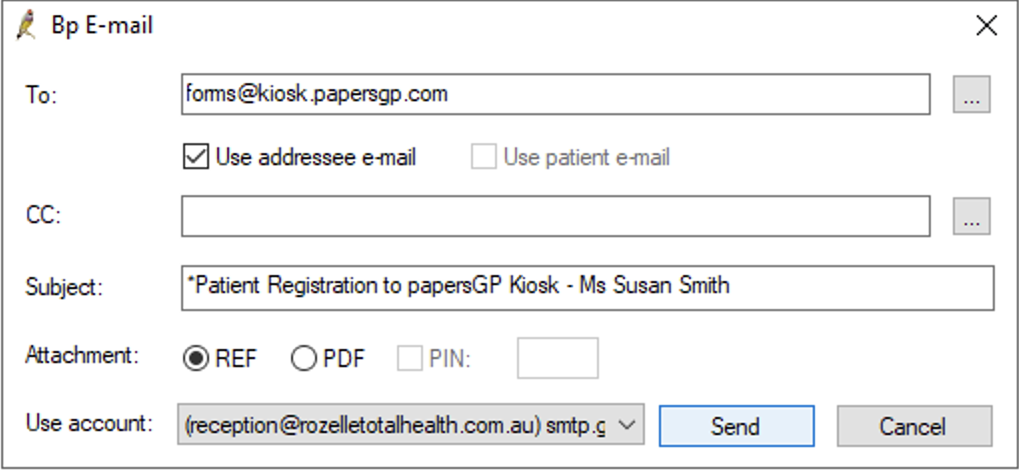
Address it to the kiosk & choose REF
In the To field type forms@kiosk.papersgp.com. Under Attachment, select REF (not PDF). Then press Send.
Note: if you're signed in to a non-provider account, Bp will ask you to choose a provider from a selection before sending.